
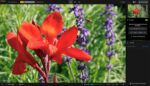
Topaz Photo Pro 1.2.1 macOS
Cada herramienta lo acerca a la perfección. El paso final definitivo para cada imagen. Corrija problemas. Restaure el enfoque. Elimine el ruido. Mejore los detalles. Recorte. Prepárelo para imprimir. Topaz Photo es el mágico último paso antes de “terminar”. Todo utilizando IA entrenada con millones de imágenes.
Fotografía de vida silvestre y astrofotografía
Acérquese con recorte sin pérdida, afile los detalles y elimine el ruido de las tomas con ISO alto capturadas en condiciones impredecibles.
Fotografía deportiva
Afine el desenfoque de movimiento y elimine el ruido de las tomas en interiores con poca iluminación.
Eventos y bodas
Nunca pierda el momento importante debido a la poca iluminación o al enfoque suave. Topaz Photo le permite corregir los detalles sin tener que volver a disparar.
Imágenes de archivo
Elimine polvo y arañazos, ajuste la iluminación y el color, y restaure las imágenes a su nitidez original.
Página de inicio https://topazlabs.com/





I’ve successfully installed this but when I open it it’s asking me to sign in to activate. I’d appreciate if anybody can show me how to bypass it. Thanks!
If you’re having trouble getting the script to work, I found this instruction set under the Topaz Video post…
1. Open Terminal
2. Type sudo followed by a space. then Drag and drop the file from the Finder window directly into the Terminal window. then press enter
You will be prompted to type your login password.
If you see a message saying “Permission denied” or “command not found,”
Type chmod +x (with a space at the end).
Drag and drop the file into the Terminal again.
Press Enter.
Then, try the sudo command (steps 1-3) again.
Be warned: The total app size will be ~35GB after it downloads the AI models when you start the normal install.
Script must be run with root privileges.
Input your password to continue
Password: ?
The password…. is your password to the computer… You know, to unlock for admin privileges.