
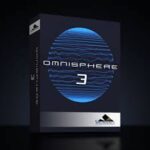
Spectrasonics Omnisphere v3.0.1c macOS | AU VST3 VST SAL
Un Nuevo Mundo: Omnisphere® es el sintetizador insignia de Spectrasonics, un instrumento de extraordinaria potencia y versatilidad. Los mejores artistas de todo el mundo confían en Omnisphere como una fuente esencial de inspiración sonora. Este galardonado software reúne muchos tipos diferentes de síntesis en un instrumento de sonido increíble que despertará una vida de exploración.
Miles de Sonidos Nuevos y Frescos, Acceso Más Rápido, Mismo Tamaño
Una colección de fábrica realmente masiva de 18 impresionantes bibliotecas con miles y miles de sonidos nuevos súper creativos e inspiradores del galardonado equipo de diseño de sonido de Spectrasonics.
Curada
Encuentra rápidamente exactamente los sonidos que necesitas dentro de las nuevas bibliotecas altamente curadas, meticulosamente organizadas por tipo de uso.
Remasterizada
Todos los parches clásicos originales de Omnisphere han sido cuidadosamente remasterizados y actualizados con las últimas funciones y efectos de la versión 3.
Optimizada
Con nueva tecnología de optimización sin pérdidas, la impresionante biblioteca de sonidos de Omnisphere 3 en realidad NO OCUPA MÁS espacio en el disco duro que Omnisphere 2.
Se requiere nuevo contenido STEAM — descargar e instalar por separado
Notas de la versión
Software Omnisphere v3.0.1c
• Corrige un problema en Apple Mainstage donde los cambios de parche y la función de pánico activaban un evento de nota en el complemento AU.
• Corrige un problema donde la cuantización del modo Trigger no funcionaba cuando el transporte del DAW estaba activo.
• Corrige un problema donde la lista completa de categorías del navegador se volvía invisible después de alternar entre las pestañas Match y Browse en el Mini Navegador.
• Corrige un error donde el Arpegiador podía perder notas al usar los modificadores de paso Lowest/Highest.
• Corrige problemas de carga de imágenes causados al guardar un parche de Sonic Extensions, Keyscape o Trilian Custom Pane como un parche de Usuario.
• Corrige problemas de enrutamiento de salida multicanal en Cubase.
• Corrige problemas de reproducción MPE que podían ocurrir al recuperar un proyecto guardado en Digital Performer, o al recuperar un preset de rack de instrumentos en Ableton Live.
• Corrige un problema donde las notas podían cortarse si un controlador MPE (como el Linnstrument) enviaba eventos Note Off de Omnisphere con el mismo tono en
diferentes canales.
• Agrega sincronización de pestañas para el panel principal al cambiar partes desde el navegador completo.
• Corrige un problema donde los menús en algunos módulos de Efecto podían mostrar una marca de verificación junto al elemento incorrecto.
• Corrige un problema donde Pro Verb sonaba incorrecto después de cambiar la Tasa de Muestreo del Host.
• Corrige un error que causaba que el LFO de Vibrato Global sonara incorrecto después de cargar parches creados por Omnisphere v2.3 o versiones anteriores.
• Corrige un problema donde las asignaciones MIDI Note Learns a los botones Part On/Off de Live Mode no se guardaban/recuperaban.
• Corrige un problema MPE donde los mensajes de pitch bend, presión y CC #74 del canal maestro no funcionaban correctamente con el modo SOLO habilitado.
• Agrega parches del directorio Sharing a la lista de parches “View All Directories”.
• Corrige un problema donde los nombres de Proyecto no aparecían en orden alfabético en el navegador de parches.
* Agrega la etiqueta del parámetro “Mix” faltante al efecto Unstable Drifter.
• Actualiza la URL de “Open Hardware Profile Guide” en el menú HW Profile.
• Solo Windows: Corrige un bloqueo que ocurría al abrir el panel Envelope Zoom en algunos sistemas Windows.
• Solo Windows: Corrige problemas de redibujado de gráficos en el panel Envelope Zoom
FX-Omnisphere v3.0.1c
• Corrige un problema donde los menús en algunos módulos de Efecto podían mostrar una marca de verificación junto al elemento incorrecto.
• Corrige un problema donde Pro Verb sonaba incorrecto después de cambiar la Tasa de Muestreo del Host.
• Agrega la etiqueta del parámetro “Mix” faltante al efecto Unstable Drifter.
Página principal https://www.spectrasonics.net/products/omnisphere/overview.php

Library is incomplete
qualcuno ha trovato la libreria AAX per protools ?
I am running Tahoe on a MacBook Pro w/ M1 and I can’t get this installed after trying everything I could think of. I have the main app, (with Whiskey to run the .exe keygen) and the library. If anyone has any advice, I sure wopuld appreciate it.
After much frustration (combinations of ignorance, trying different versions, etc), I got it working. I hope this helps:
I have a MacBook Pro running Tahoe w/ an M1 Pro processor (that had ample free drive space prior to installation). I don’t know if any of that is relevant, but here is what I did, IN THIS ORDER, to make things work FOR ME: I did not install the sound library on a separate drive, so that was not part of my process described below. So keep that in mind, because the sounds require 60+GB. Part of the steps include revealing hidden files. In addition to the method described in the steps that I followed, there are other ways to reveal hidden folders and files, either temporarily or permanently. For these methods use Google or ChatGPT.
If you have any previous versions or even previous attempts of Omnisphere, navigate to Library–>Audio—>Plugins, and delete any Omnisphere stuff from each of the subfolders. Then delete any Spectronics folder at Library->Application Support–>Spectronics. This folder may be hidden. To reveal it: with a Finder window open, hold down the option key, and navigate to the Library, found in the Go menu. Then download the full version of AppCleaner, run it, switch to SmartDelete in settings, and then drag and drop into AppCleaner any Omnisphere app you may see in Applications.
Download the Omnisphere 3 library (approx. 60 GB) using the link provided by “Deejay” that can be found in this message thread. * I downloaded and extracted the library, but kept it in my Downloads folder.
Keep in mind that my success was achieved by doing all of these things in order. I don’t know for sure, but I think that having the sound library already extracted/unzipped prior to installing the program is important.
The next step I took was to download and run the Omnisphere v3.0.1c on this page. It was installed with no issues.
I was able to open both the standalone and plugins, but didn’t even see a folder at Library->Application Support designated for the sounds.
What I didn’t realize was that there WAS a folder for the sounds – but it was hidden (/Library->Application Support->Spectronics). So with my Finder window open, I held down the option key, and selected Library under the Go menu. This not only revealed the hidden Library->Application Support->Spectronics folder, but revealed the folder’s 60GB of content!
This is the way it worked FOR ME so I can’t guarantee it will work for everybody, but I assume that during the installation of Omnisphere v3.0.1c, the program must have automatically searched for, and located, the extracted Sound library files in my Downloads folder, and copied them over to the newly created subfolder under Library->Application Support->Spectronics. That location includes several subfolders, including the one labeled STEAM.
Use LittleSnitch to block outgoing connections is suggested
chi mi aiuta con la libreria ?
Works great, thanks for the library torrent as well. For previous users, this update will brick almost all of your previous steam library packs.
Is the library torrent not included in this torrent?
The library is approx 57GB
Any solution to the STEAM folder not being found?
Worked for me too! Thanks so much for posting the library.
Does anyone have a torrent for the Keyscape library too?
How did you install?
See my post regarding how I made it work for me
I took a gamble on the Library being version 3 ….and…..IT IS 🙂 ….woop woop woop
Thank you Deejay and the original poster…..your are both my Hero’s…once again many many thanks 😉
Torrent Works and so does the library torrent I can’t believe my luck thanks everyone involved!
Hi Deejay….thank you so so much for the magnet link…is this for V3 ?? …as it looks to be the same size as the V2 library i already have….they’re almost identical in size…i would’ve expected V3 to be bigger than v2….i need to make sure before downloading hence my question.
Many thanks in advance…James.
magnet:?xt=urn:btih:144EF743C3B66B5ED2653836F8B1F2FBF94C2A0C&tr=http%3A%2F%2Fbt2.t-ru.org%2Fann%3Fmagnet&dn=Spectrasonics%20-%20Omnisphere%203%20Library%20(Soundbank)
Library Torrent
I tried to install yesterday.
this message appeared while the app was installing.
There has been an error.
Error changing ownership of /Applications/Omnisphere.app to 0
The application will exit now.
I’m still having trouble, but I do know that you need to manually trash the plugins (library–>application support–> ). any plugin that says omnisphere. Then downlaod and use appcleaner to uninstall the prev Omnisphere, setting it where it will look/find associated files
I finally figured out how to install, so you might want to disregard this comment. See my newest post
Can some kind soul please please please share the Library file via a Torrent link as it will be too big to download in one go.
Many thanks in advance 🙂
What is the point of uploading this if you’re not going to provide, or tell us how to get the library? 🙁
Copy and paste this into your browser, and then it should prompt you to open your torrent program:
magnet:xt=urn:btih:144EF743C3B66B5ED2653836F8B1F2FBF94C2A0C&tr=http%3A%2F%2Fbt2.t-ru.org%2Fann%3Fmagnet&dn=Spectrasonics%20-%20Omnisphere%203%20Library%20(Soundbank)
see my newest post
¿Dónde veo tu publicación más reciente? No encuentro para poder descargar las librerías del Omnisphere 3
this update bricks your Moog Library
The Library? I guess the half size of the full internet is that.
searching for it too
where is the library? link for download please!?!?