
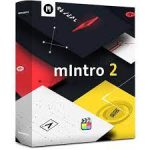
MotionVFX – mIntro – 30 Beautiful Intro Openers for Final Cut Pro
mIntro es un complemento que te ayudará a realzar cualquier tema con una animación de apertura elegante. Estos 30 intros con una variedad de estilos, efectos y movimientos te ayudarán a llegar a cualquier audiencia y adaptarse a cualquier edición. Arrastra, suelta y consigue un aspecto impresionante y profesional para tus vídeos en cuestión de segundos.
Página principal https://www.motionvfx.com/store,mintro,p2246.html




hı Guys, can u please add Mrotoai ?
Can you guys get more of Davinci resolve plugins? thx
Copy-paste in Videos/Motion Templates/Titles/
This is the correct answer!
I asked ChatGPT on how to install it and I got the following answer below:
1. Extract the files (if necessary): If the plugin is downloaded as a zip file, extract its contents by double-clicking on the zip file. This should create a folder containing the plugin files.
2. Locate Final Cut Pro Plugins folder: Open Finder and navigate to the following directory:
Macintosh HD > Library > Application Support > Final Cut Pro > Plugins
If you cannot find the Library folder in the Macintosh HD directory, you can access it by holding down the Option key while clicking on the “Go” menu in Finder, then selecting “Library”.
3. Install the plugin: Copy the plugin folder (containing the plugin files) into the Plugins folder you located in the previous step.
4. Restart Final Cut Pro: After copying the plugin files, close and reopen Final Cut Pro. This allows Final Cut Pro to recognize the newly installed plugin.
5. Locate the plugin in Final Cut Pro: Once Final Cut Pro is reopened, navigate to the Effects browser and search for the MotionVFX plugin you installed. The plugin should now appear in the appropriate category (Titles, Generators, Effects, etc.).
6. Apply the plugin: Drag and drop the plugin onto the timeline or directly onto your footage in the timeline.
7. Customize settings: Use the Inspector panel in Final Cut Pro to adjust the settings of the plugin as needed.
8. Preview and render: Preview your project to see how the plugin looks with your footage. Once you’re satisfied, render/export your project.
That’s it! You have manually installed a MotionVFX plugin for Final Cut Pro. If you encounter any issues during installation or usage, refer to the documentation provided by MotionVFX or contact their support team for assistance.
how to install this package?
Thanks ! Keep the motionVFX Stuff coming please! ;D mMovements, mDocumentary, mKeynote, mTuber 3 please! just a humble request haha but throw at us whatever, appreciate it
Hi! How you managed to install this package ?