
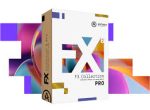
Arturia FX Collection 6 Pro v2026.2 U2B macOS
FX Collection 6 PRO
Efectos de referencia para creadores de música
Para creadores de música que buscan un kit de herramientas de producción completo, FX Collection 6 reúne efectos meticulosamente elaborados que abarcan desde emulaciones de estudio clásicas hasta procesadores modernos y audaces. Desde dar forma a tus sonidos hasta esculpir mezclas y finalizar pistas: descubre todo lo que necesitas para dar vida a tu música.
FX de estudio para todo uso
Encarnando la experiencia de Arturia en procesamiento de señal digital y modelado analógico, FX Collection 6 cierra la brecha entre el procesamiento de audio técnico, creativo, clásico y contemporáneo.
Incluido:
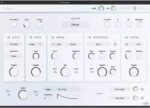
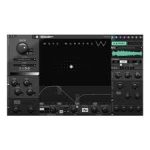
★ Bus EXCITER-104 v1.0.1
★ Bus FORCE v1.4.1
★ Bus PEAK v1.0.1
★ Bus TRANSIENT v1.0.1 NUEVO
★ Chorus DIMENSION-D v1.5.1
★ Chorus JUN-6 v1.5.1
★ Comp DIODE-609 v1.4.1
★ Comp FET-76 v1.7.1
★ Comp TUBE-STA v1.7.1
★ Comp VCA-65 v1.7.1
★ Delay ETERNITY v1.7.1
★ Delay MEMORY-BRIGADE v1.7.1
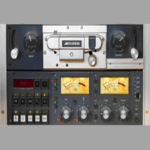
★ Delay TAPE-201 v1.7.1
★ Dist COLDFIRE v1.2.1
★ Dist OPAMP-21 v1.2.1
★ Dist TUBE-CULTURE v1.2.1
★ Efx AMBIENT v1.0.0 NUEVO
★ Efx FRAGMENTS v1.3.1
★ Efx MOTIONS v1.1.1
★ Efx REFRACT v1.1.1
★ EQ SITRAL-295 v1.4.1
★ Filter M12 v1.8.1
★ Filter MINI v1.9.1
★ Filter MS-20 v1.2.1
★ Filter SEM v1.8.1
★ Flanger BL-20 v1.5.1
★ Mix DRUMS v1.0.1 NUEVO
★ Phaser BI-TRON v1.5.1
★ Pitch SHIFTER-910 v1.0.0 NUEVO
★ Pre 1973 v1.9.1
★ Pre TridA v1.8.1
★ Pre V76 v1.8.1
★ Rev INTENSITY v1.6.1
★ Rev LX-24 v1.2.1
★ Rev PLATE-140 v1.7.1
★ Rev SPRING-636 v1.6.1
★ Rotary CLS-222 v1.2.1
★ Tape J-37 v1.1.0
★ Tape MELLO-Fi v1.4.1
Página principal https://www.arturia.com/products?categories=software-instruments,software-instruments-effects

Installation Instruction Grant permission in Privacy & Security to Full Disk Access and in App Management to the Terminal app!!!
• Open the Installers folder.
• Install the plugins you need.
• Perform a standard installation.
• Simply click the buttons: “Continue”, “Install”, and “Close”.
• During the process, you will need to enter your Mac’s password (the same one used to log in). If you need to install all plugins, run the Install All Plugins file. The Terminal application will open — follow the instructions in the Terminal. The Terminal will install all plugins. Upon completion, the message [Done] will appear.
• Open the Patch folder.
• Run Patch Installer.
• The Terminal application will open – follow the instructions in the Terminal. If you encounter issues, copy the Patch folder to the desktop. Install Xcode Command Line Tools using the command in Terminal: xcode-select –install Then repeat the patch installation.
• Done. Enjoy using it!
NOTA: Remove VST plugins because they are not patched /Library/Audio/Plug-Ins/VST (So use VST3 or AU which is better for MacOs)
Thank you!!!!!
Please upload Arturia V collection 11 Pro!!!
All of them are working properly, just write this in terminal after pasting the patches
sudo xattr -cr /Library/Audio/Plug-Ins/Components/*
repeat for vst changing VST, etc…
Working in Logic 11.2 on Sequoia 15.7 so far.
Download worked fine: 2 hrs on my crap wifi for 16G.
1) Whoops, Macs can’t open Rar files so go find Keka and install so you can unpack your files.
I use Finder and open several windows and leave them on the desktop for this next bit. I install and check one plug at a time in Logic.
2) Open Arturia/Yada/Installers/AU directory and pick a plug- remember the name! Double click.
After the usual Mac hemorrhoids it should install.
3) Open the next folder: Arturia/Yada/Patch Files/AU and find the Same Plug you installed. Drag it to where the “components” files are stored in YOUR system.
From search Assist:
Arturia components are typically stored in the /Library/Arturia folder on macOS. Additionally, VST and VST3 files can be found in /Library/Audio/Plug-Ins/VST and /Library/Audio/Plug-Ins/VST3 respectively.
Choose “Replace file” and leave this window open- you’re going to drag this file into terminal in a sec.
4) Command + Spacebar + t to open “Terminal”.
5) Open “instructions.txt” and highlight the first line: sudo xattr -cr and drag it into the terminal. Hit the spacebar once. Drag the component file you just replaced into Terminal. You may have to ad a space at the end.
Hit return. Enter your System Password.
Close Terminal and open Logic to see if it worked. If you get a demo- try again- you did something out of order or put something in the wrong place or picked a plug that didn’t work with your setup for some reason.
If it worked revel in your delight- if not try the next two lines of code.
Notes: I didn’t try this with vst but it’s just the same.
Also: Logic wants you to “update” your whole os every time they release a bandaid fix and this usually breaks your pirate plugs so get happy with what you have for now I should think. Sorry if I forgot something here.
Impossiible to download it! the link not work…please Torrent files!!
Download keeps crashing mid way through download?
comment on le patch svp help
I don’t understand how you patch it, I’m writing the first code, drag the vst enter, and the same with the third line
Seems to work properly. I updated 10 of them I’ve got already and everything is ok till now. Thanks for a good job!
I’ve tried two and gotten “damaged file” on both. Simple instructions. Which ones did you do?
How did you make it work? For me it’s unclear how to patch it!
Can you get us the V Collection with the latest update? many thanks for everything. Health.
Difficult to download, given that the file-sharing site loves to close connections no later than downloading half the file.