

Age of Empires II: Definitive Edition 1.0 para Mac
Age of Empires II: Definitive Edition es un clásico de estrategia en tiempo real remasterizado de World’s Edge y Xbox Game Studios. La versión 1.0 en Mac marca el primer lanzamiento nativo para Apple Silicon de la edición definitiva, portado por Feral Interactive y lanzado en Steam el 28 de mayo de 2026.
Lo que ofrece el juego
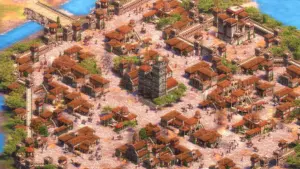
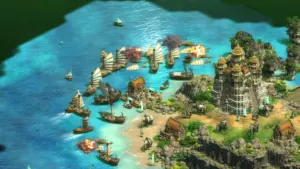
Diriges civilizaciones desde la Edad Oscura hasta la Edad Imperial, equilibrando economía, tecnología y poder militar. La edición definitiva incluye gráficos actualizados en 4K, una banda sonora remasterizada, nuevas animaciones y mejoras de calidad de vida desarrolladas desde el lanzamiento para Windows en 2019.
El modo para un jugador incluye campañas históricas y enfrentamientos contra la IA. El multijugador en línea y las campañas cooperativas están disponibles en Mac, con emparejamiento contra otros jugadores de macOS. El lanzamiento base para Mac incluye tres expansiones: Lords of the West, Dawn of the Dukes y Dynasties of India, cada una añadiendo civilizaciones y campañas. El DLC adicional (por ejemplo, Return of Rome, Chronicles y The Last Chieftains) se vende por separado en las tiendas compatibles.
Especificaciones del port para Mac
Esta es una compilación nativa para Apple Silicon: Steam lista macOS 15.7 o posterior y un chip Apple M1 (o A18 Pro) o superior. Las Mac con Intel no son compatibles. Los propietarios existentes de la edición para Windows en Steam reciben la versión para macOS sin costo adicional en la misma entrada de la biblioteca de Steam.
Versión 1.0 (lanzamiento para macOS)
La etiqueta de catálogo “1.0” se refiere al lanzamiento inicial del port para macOS, no a un número de parche separado para PC (las actualizaciones de PC usan ID de compilación como 170934). No hay un “registro de cambios de la versión 1.0” dedicado más allá de la paridad de funciones de lanzamiento con el conjunto de contenido de la edición definitiva descrito anteriormente.
Licencias y distribución
Disponible en Steam y en la tienda de Feral; se planea un lanzamiento en Mac App Store para más adelante en 2026 según anuncios oficiales. El precio varía según la región (a menudo alrededor de $35 en Steam). Requiere la aceptación de una cuenta de Microsoft/Xbox para las funciones en línea según los términos de la tienda. Se requiere conexión a Internet para el multijugador.





Merci, fonctionne 100%
thank you so much
It works perfectly on my M1 Max.
It won’t work on any Intel based mac (the game is only for arm CPUs).
If you have the “damaged” error message, you must run this terminal command to remove the flags that prevent it to run:
sudo xattr -r -c “/Applications/Age of Empires II Definitive Edition.app”
(this command requires your password)
It should run now! Enjoy 🙂
❤️
The game doesn’t work at all on my m1 pro max.
Works perfectly, thank you
You’re on Apple Silicon (M chip)?
Because for the rest of us, it did not work neither from inside the .dmg, neither from copying it to the Application folder.
Any suggestions?
yes, iMac M4.
I used Sentinel to get the app out of Apple’s quarantine (corrupted application, etc.)
How do you change username from gse orca ?
You cant, its fixed.
It has 75-80 gbs. Any idea why it is so large? On the official website it says it occupies 16 gb on the HDD
Intel Mac not support
Can it be played on Mac OS Intel?
Run the downloaded image and drag the application to the Applications folder shortcut.
Once the copy is complete, you can launch the application from Launchpad.
I’m using macbook air M1. I’ve copied the app to an external ssd, when I run the app it says that the app is damaged and was suggested to be delete it. Any suggestion on how to run this on a MBA M1? Thanks
You need to go to your settings and allow it. The app is not damaged, it works like a charm.
❤️
I did have allowed the app from the settings. Afterwards, if I open the app, it verifies the app for a long time, and then notifies that the app is damaged and needs to be moved to trashcan. FYI, the app is in an external ssd because of the file size. Does it need to be in the Application folder, or is there any workaround? thanks